¶ Introduction
The Transaction History UI provides a comprehensive log of events in the WMS system. Users can review actions such as inbound completion, putaway, outbound completion, inventory adjustments, and movements, all displayed with a Normal status. Additionally, events with a Cancel status—such as reverted inbound receipts, canceled outbound shipments, or deleted transactions—are also recorded for tracking purposes.
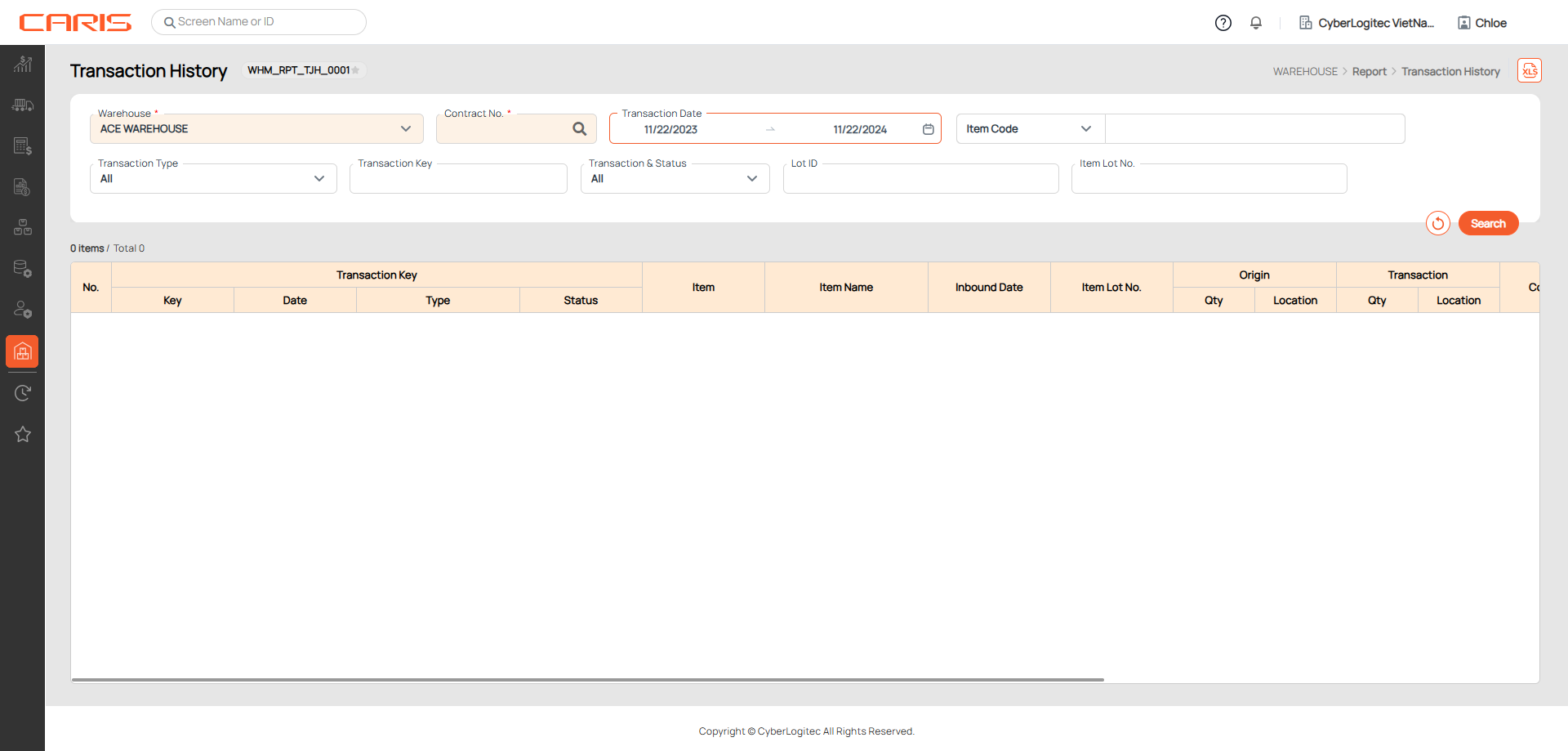
Transaction History screen is to allow users to search for and view transaction records based on specific search conditions.
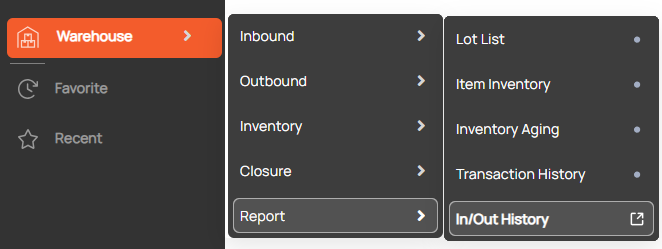
Navigation: Warehouse > Report > Transaction History
Screenshot
¶ Search Transactions
Steps to search:
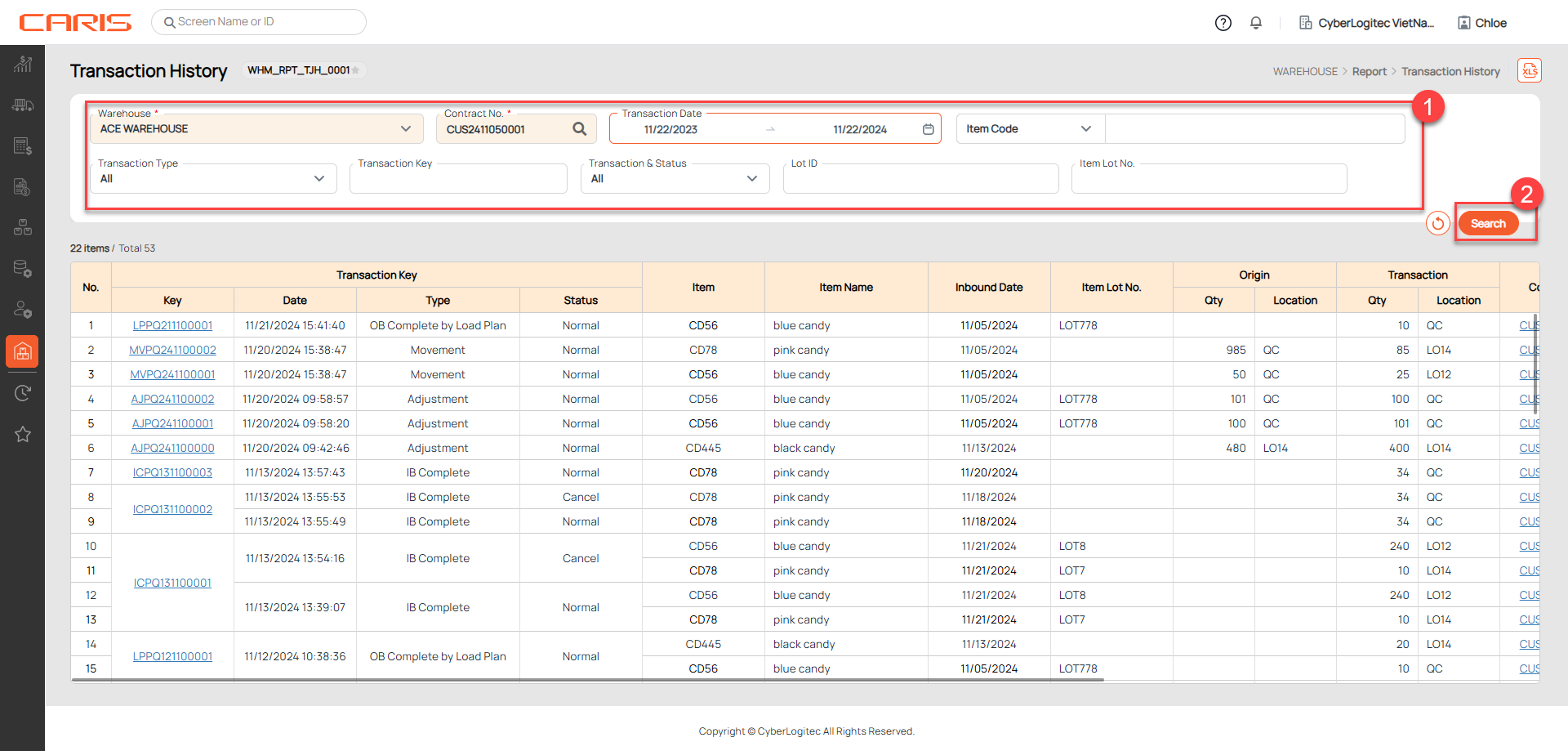
¶ 1. Enter search criteria
+ Transaction Type: provides a classification of the specific inventory-related activities recorded in the system.
- IB Complete: Represents the completion of an inbound booking, where items are successfully received into the warehouse. The transaction is logged when the inbound booking is updated to received status.
- Putaway: Indicates that items have been moved from receiving areas to their designated storage locations. The transaction is logged when the Put-away process complete
- OB Complete by Load Plan: Reflects the completion of an outbound booking, where items are shipped out of the warehouse. The transaction is logged when the outbound booking is updated to shipped status.
- Adjustments: The transaction is logged when creating an Inventory Adjustment ticket successfully
- Movements: The transaction is logged when moving successfully items in the Movement Plan
- Hold: The transaction is logged when moving items from any other locations (Damage, Normal,…) to “Hold” locations.
- Damage: The transaction is logged when moving items from any other locations (Hold, Normal,…) to “Damage” locations.
+ Transaction & status: Normal/Cancel
- Normal Status: Indicates successful or completed events such as inbound receipt (IB Complete), Putaway, outbound shipping (OB Complete by Load Plan), adjustments, or inventory movements.
- Cancel Status: Reflects reverted Inbound Received, Outbound Shipped
+ Transaction Key: is a unique identifier assigned to each transaction in the WMS system. It auto-generates when events such as inbound received (IB Complete), Putaway, outbound shipped (OB Complete by Load Plan), adjustments, or inventory movements are completed.
¶ 2. Click the search button
¶ 3. View results on the grid
- Origin( Qty, Location): Displays the original quantity and the original location of items before the event occurred. It is primarily used for Adjustment and Movement transactions. For other transactions, the Origin column remains blank.
- Transaction (Qty, Location): Quantity affected or updated by the transaction and The final location or the location affected by the event.