¶ Introduction
This screen helps you define roles in a company and control each role’s action and data.
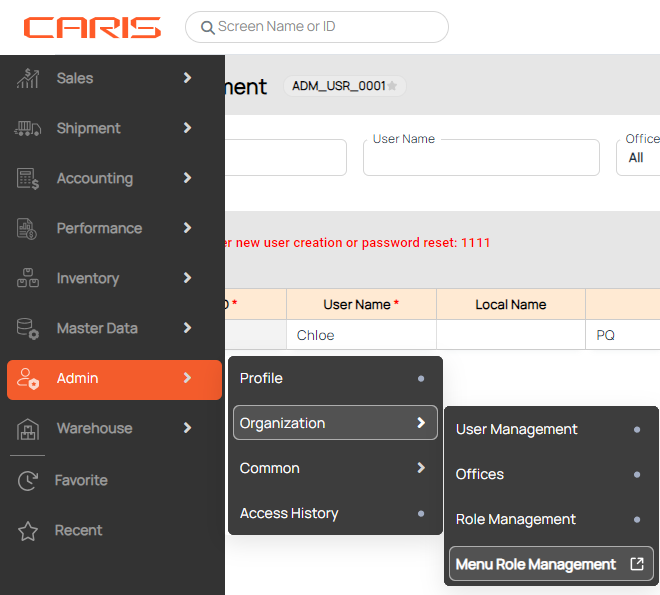
Navigation: Admin > Organization > Role Management.
¶ Manage role
The roles created and managed in this screen can be assigned to specific user in User Management.

Following information are provided:
- No: The number order. You can hover over this column to see a Trash icon for deletion.
- Role Code (*): Role ID (must contain at least 3 characters).
- Role Name (*): The name of the Role (must contain at least 3 characters).
- Description: Role description (must contain at least 10 characters).
- Authorization: Click on the hyperlink to go to the Menu Role Management screen, where you can allow access for this role.
- Status: Double click ****on this column to update status (Active or Inactive).
After a new role was created, this role will have full access rights in Control Action and Control Data.
¶ Control action
Admin may assign control action to each role. These special actions cannot be authorized in Menu Role Management.

- Select a role by clicking on a row in the Role List table.
- In Control Action table, click on the checkbox to allow access for this role.
- Click Save.
|
Control Action
|
Description
|
|---|---|
|
Access G&A Invoice
|
- Check the box: Users with this role can generate invoices under "General Admin" and "Operation" types in Accounting. - Uncheck the box: Users with this role can only create invoices under the "Operation" type in Accounting.
|
¶ Control data
Admin may assign control data to each role.

- Select a role by clicking on a row in the Role List table.
- Select data in Option column
- Deposit/Payment, which is only selected as one option. (In the multi-select case, the system will get the maximum option.)
Note: When you are at level 2 of Payment, you can view Payment reports from level 2 and below
- Deposit/Payment: you can select by level. The higher the level, the more data this role is able to access.
- Office code: you can select multiple office codes.
3. Click Save.
| Control Data | Description |
|---|---|
|
Deposit Level Report
|
Access level (1,2) report at Deposit List
|
|
Payment Level Report
|
Access level (1,2,3) report at Payment List
|
|
Office Code
|
Access office (select in the Office List of the Company)
|