¶ Introduction
The Inventory Movement Entry functionality in a Warehouse Management System (WMS) allows users to manage and record the movement of inventory items within the warehouse.
This screen supports creating or deleting movement plans and saves the movement history to track stock relocation between storage locations or zones.
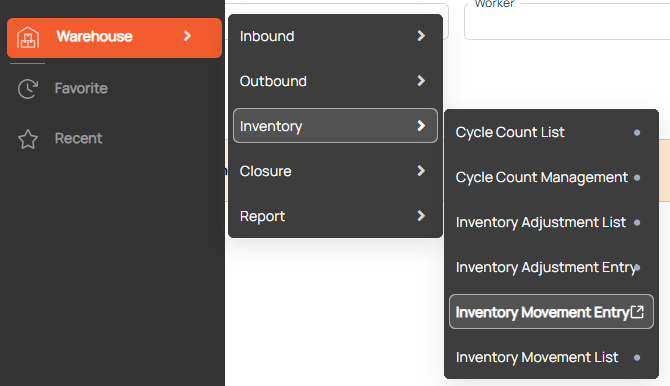
Navigation: Warehouse > Inventory > Inventory Movement Entry
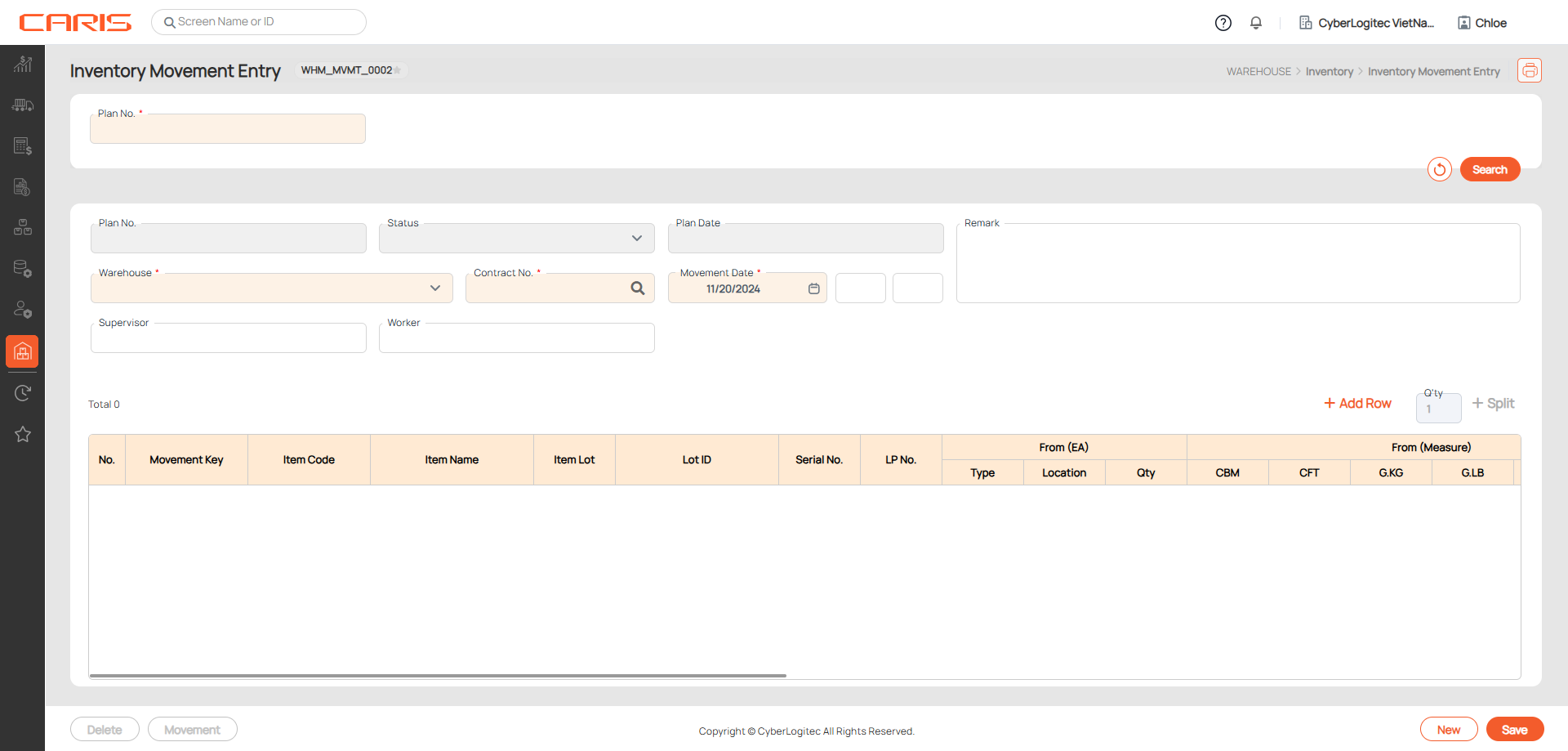
Screenshot
¶ Create the Movement Plan
Steps:
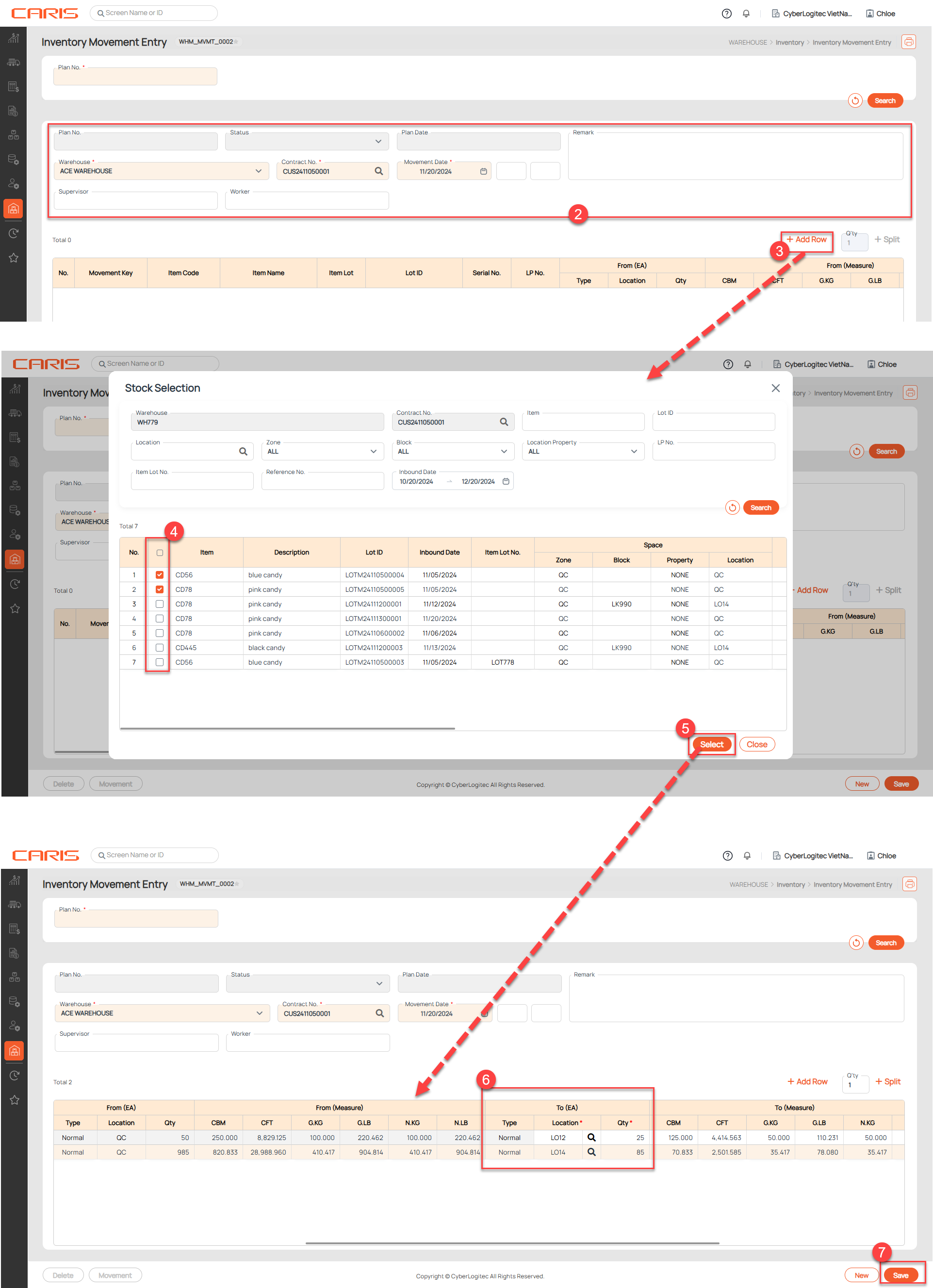
- Open the Inventory Movement Entry screen from sidebar
- Enter Warehouse, Contract No. , Movement Date
- Click Add Row button to open the Stock Selection popup
- The Stock Selection Popup displays information about the products available in the warehouse, including the name of the item in stock, the current stock quantity for the product, and inbound Date (the date the product was received into the warehouse.)
- Select items from stock for moving
- Click the Select button to transfer data from the popup to the Item List area
- Enter To Location, To Qty
- To Location: the destination where the item is intended to be moved
- To Qty: the quantity of items that need to be moved to the destination location
- Click the Save button. After saving successfully:
- The system will auto-gen Plan No. for this movement plan.
- The status will be updated to Planned
¶ View the Movement Plan
There are two ways to view the Movement Plan Details:
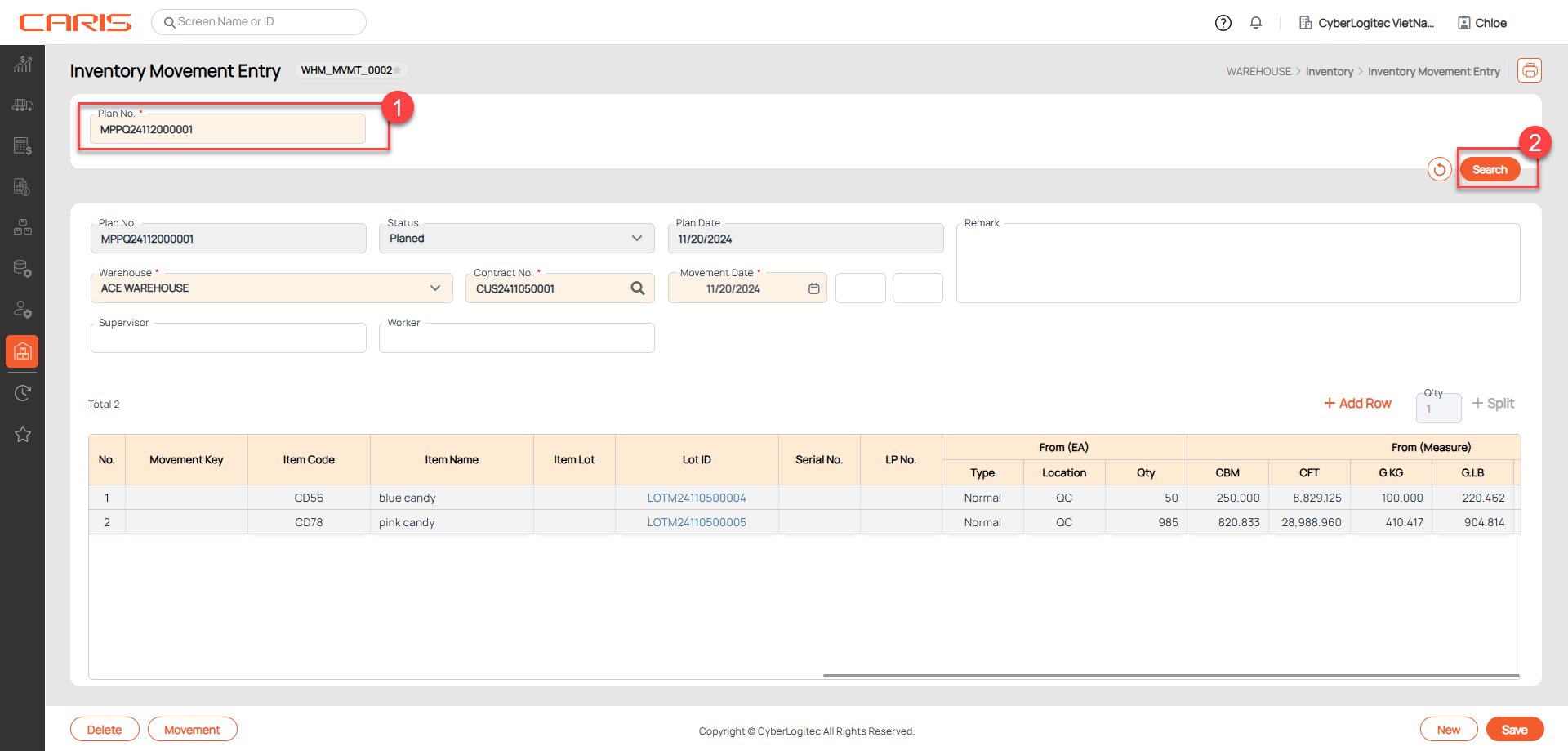
1. Searching plan based on Plan No. at Inventory Movement Entry. Please follow steps in image below:
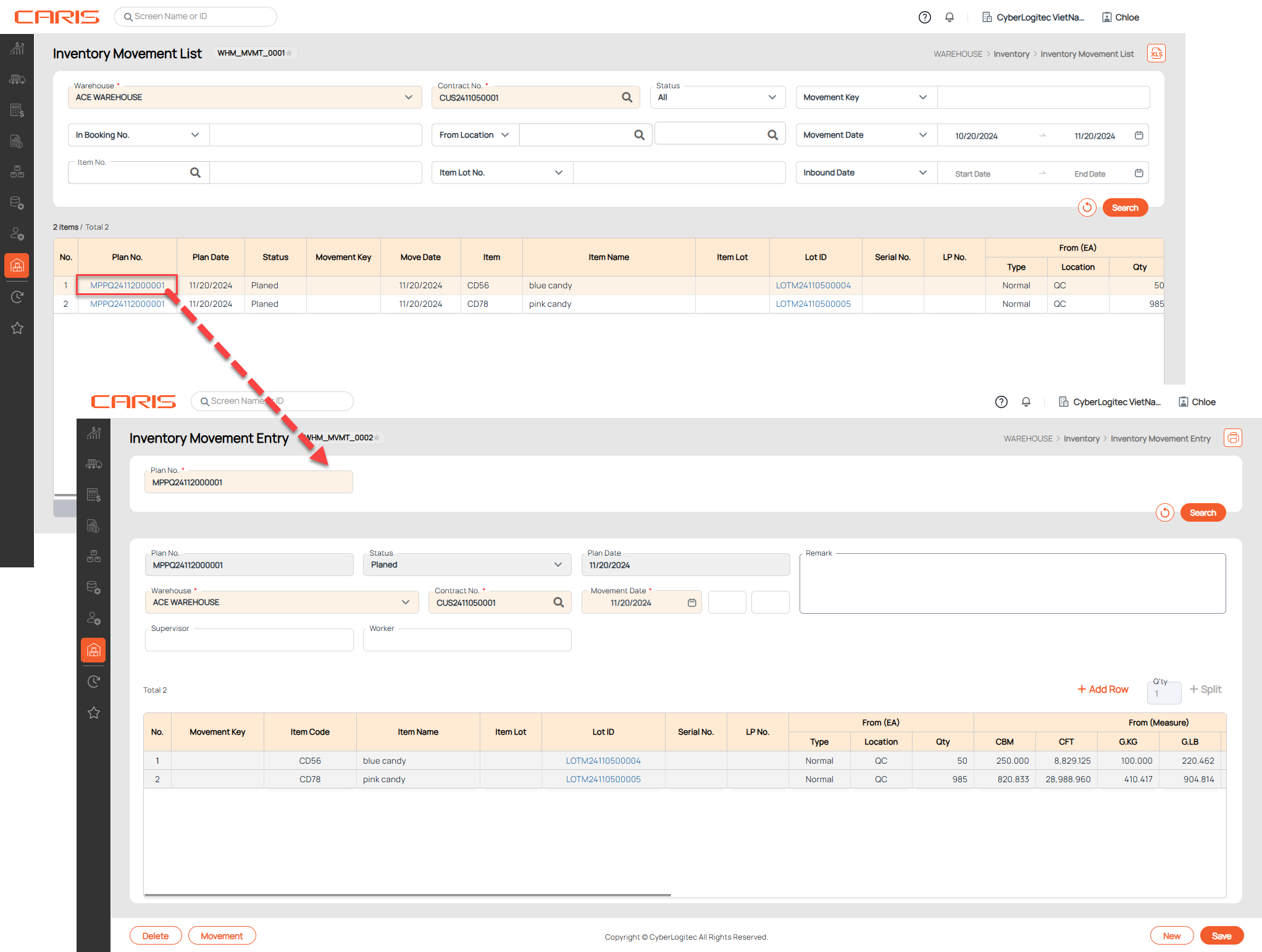
2. Click the hyperlink in the Plan No. column on the Inventory Movement List screen, the system will open the Inventory Movement Entry screen, automatically loading the selected movement plan.
¶ Mark Movement Completion
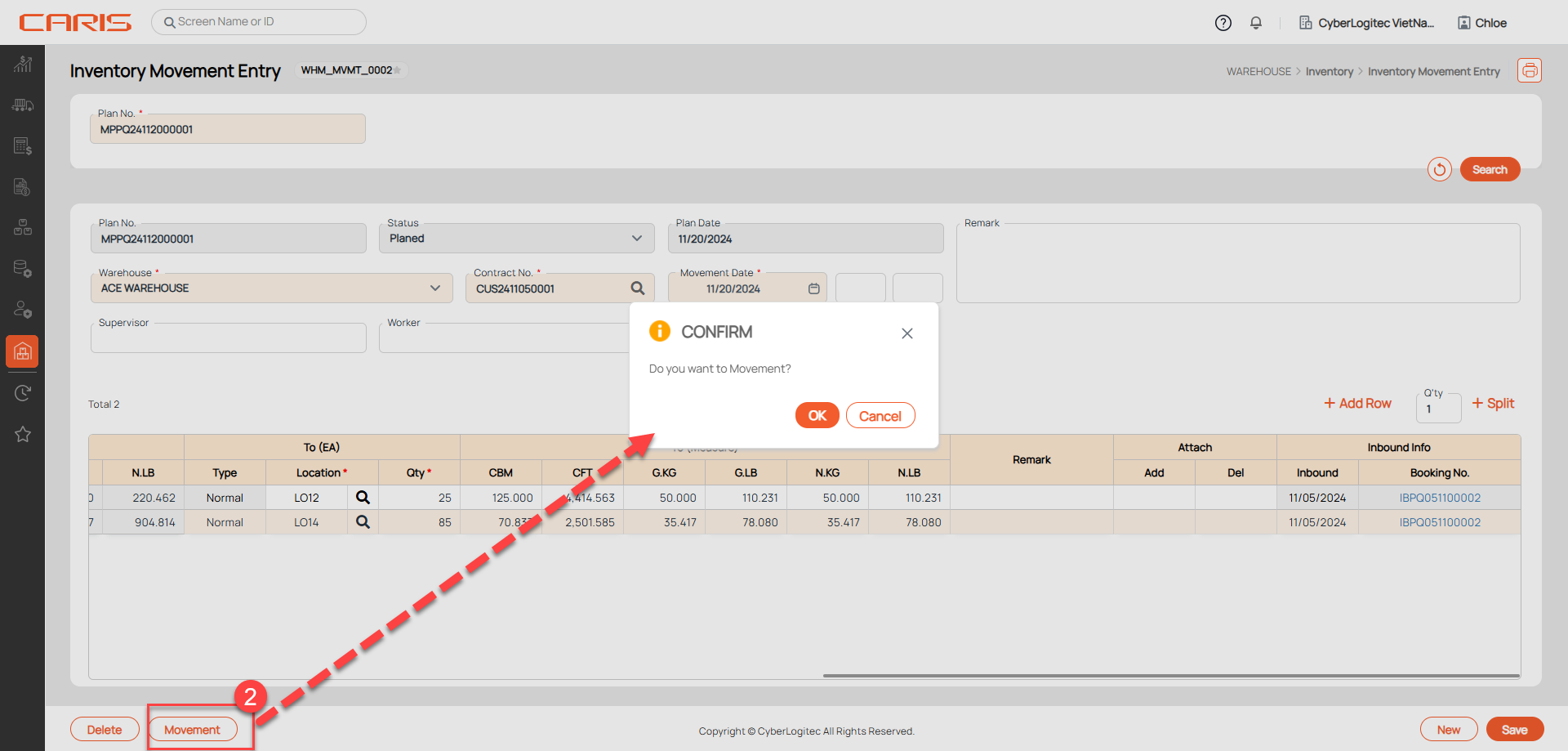
The Mark Movement Completion action is performed when the items listed in a movement plan have been physically moved from the source location to the destination location. This action serves as a confirmation that the movement has been completed. Please check the information carefully before action as data cannot be reverted after confirmation.
Steps:
2. Click the Movement button and confirm OK,
- After saving the status will be updated to Completed, adjust the inventory accordingly (recheck data at Item Inventory screen ), and the system will auto-gen Movement Key
- Can't delete an Inventory Movement was completed
¶ Delete the Movement Plan
Cannot delete completed movement plans and cannot revert deleted movement plans. Please check the information carefully before deleting it.
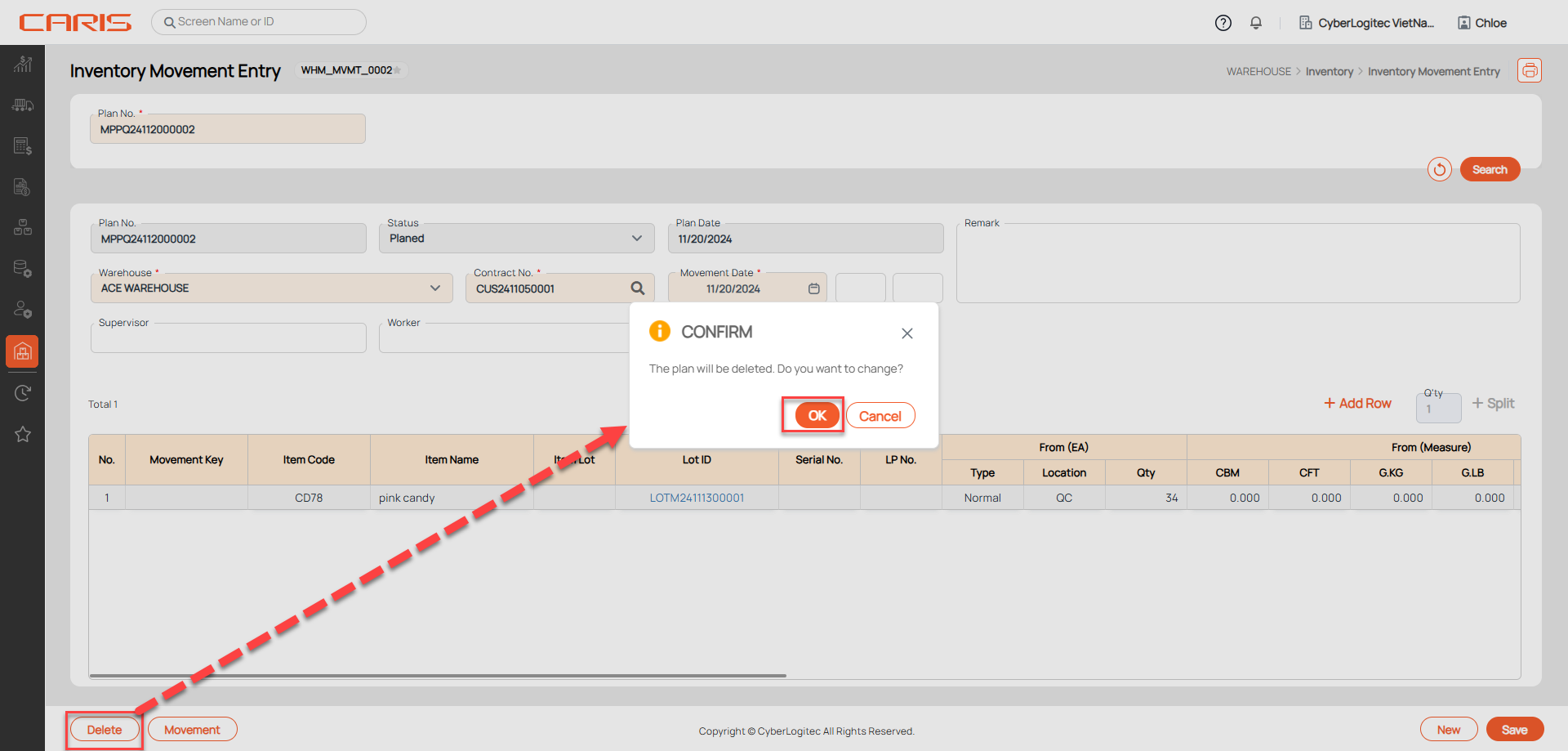
Steps to delete:
- Open the movement plan
- Click the Delete button