¶ Introduction
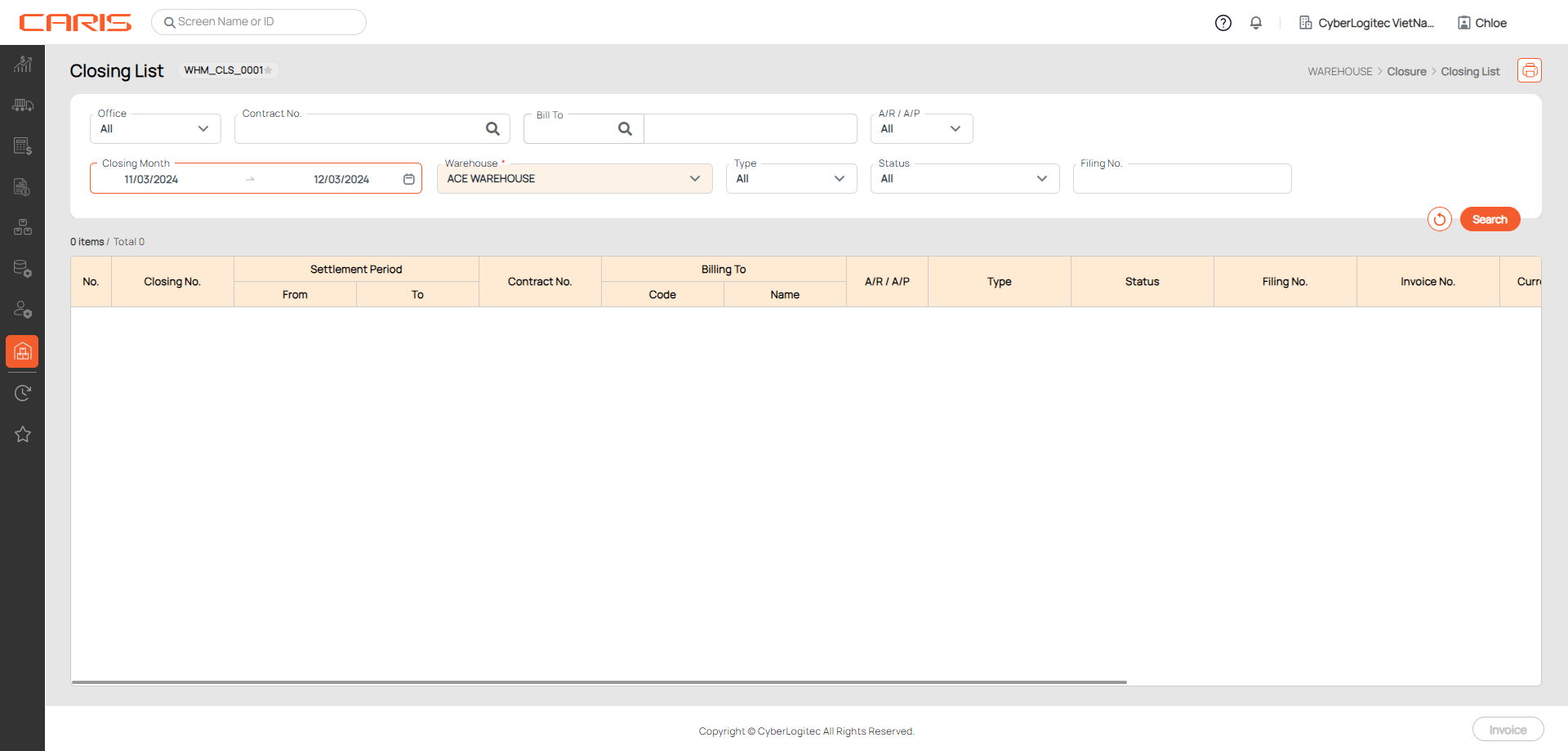
The Closing List Screen provides an overview of all closings created in the system. It allows users to search, review, manage closing records, and create Invoice.
Navigation: Warehouse > Closure > Closing List
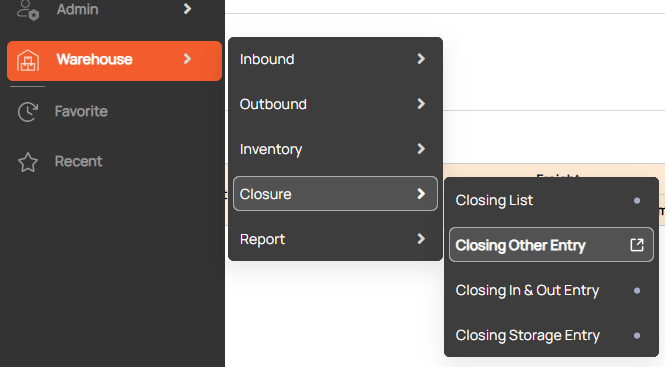
Screenshot
¶ Search Closing
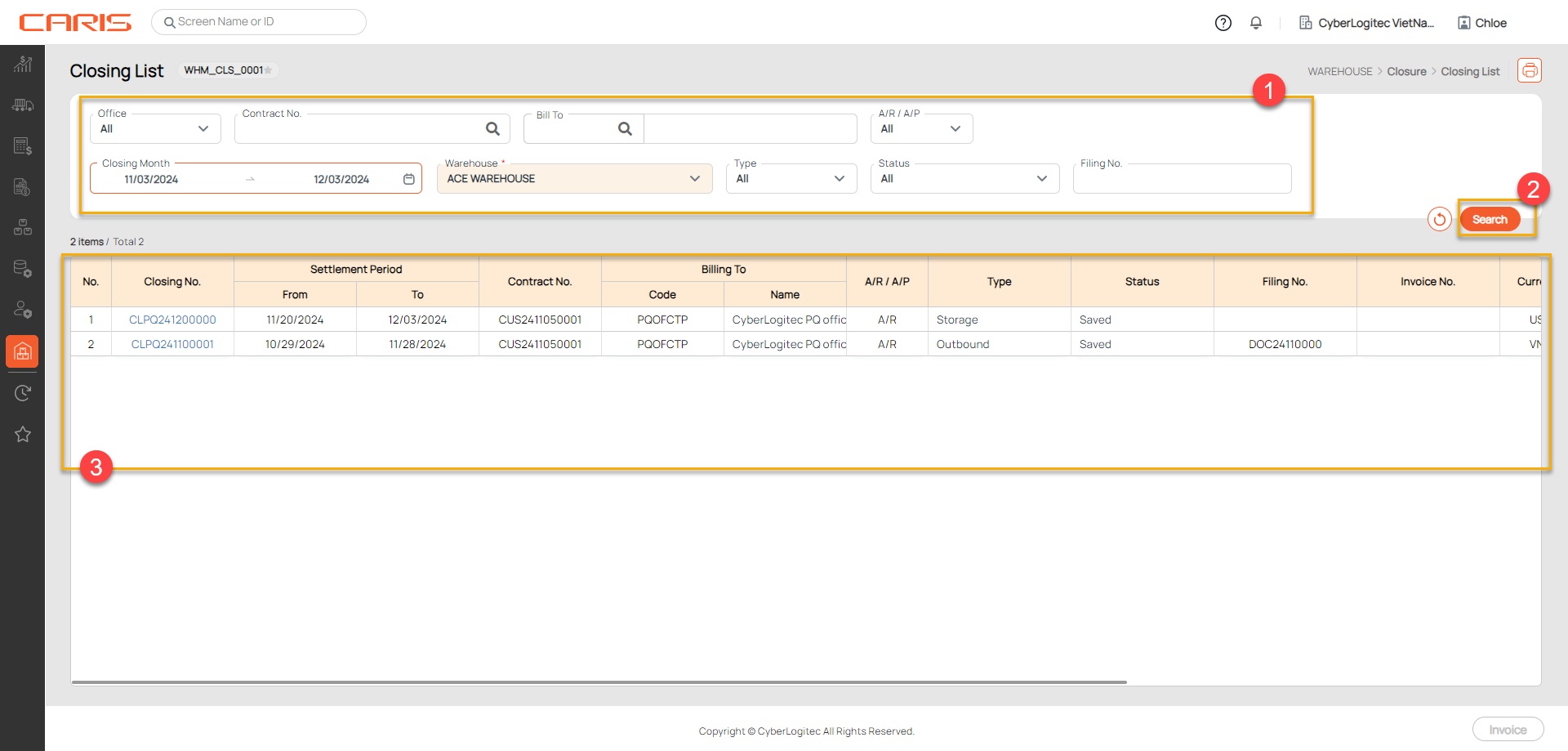
Step to searching:
1. Enter Search Criteria
2. Click the Search Button
3. Review Closing information on grid
¶ Making Invoice
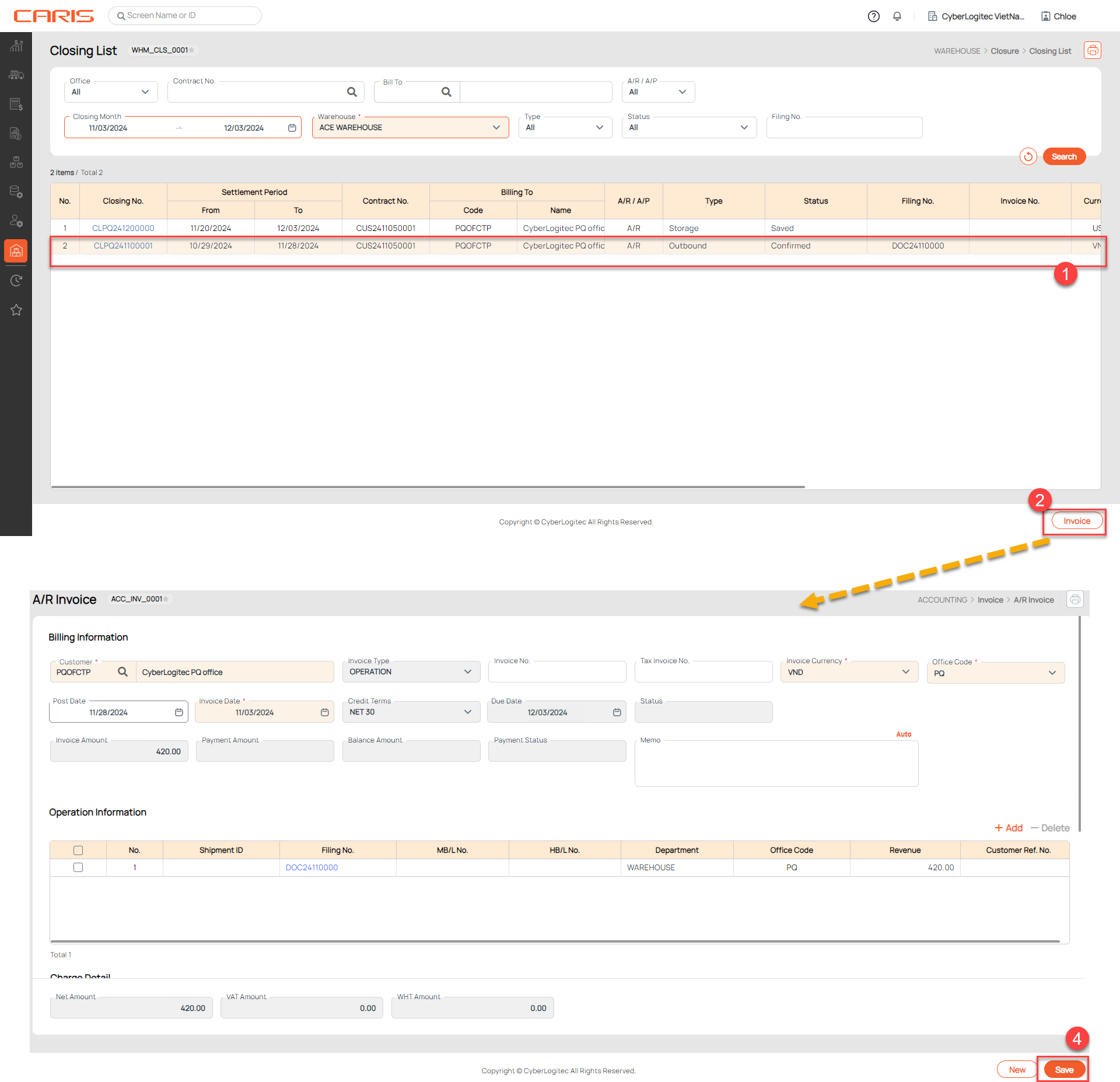
Steps to create invoice for Closing
- Select Closing have status is Confirmed
- Click the Invoice button, The system will open the Invoice Entry UI based on the type of closing (AR/AP), automatically populating charge details from the selected closing.
- Review and edit invoice information if needed.
- Click the save button in Invoice Entry UI (AR Invoice/ AP Invoice)
- After saving, Closing status is updated to Invoiced