¶ Introduction
The Invoice List screen allows managing, tracking and processing invoices related to shipments, HB/Ls & MB/Ls, WH Filling No.
Navigation:
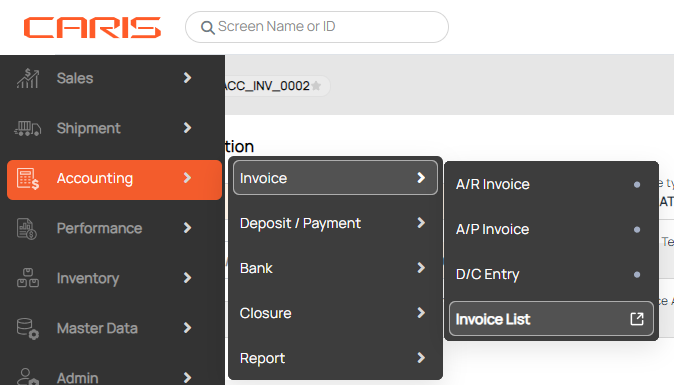
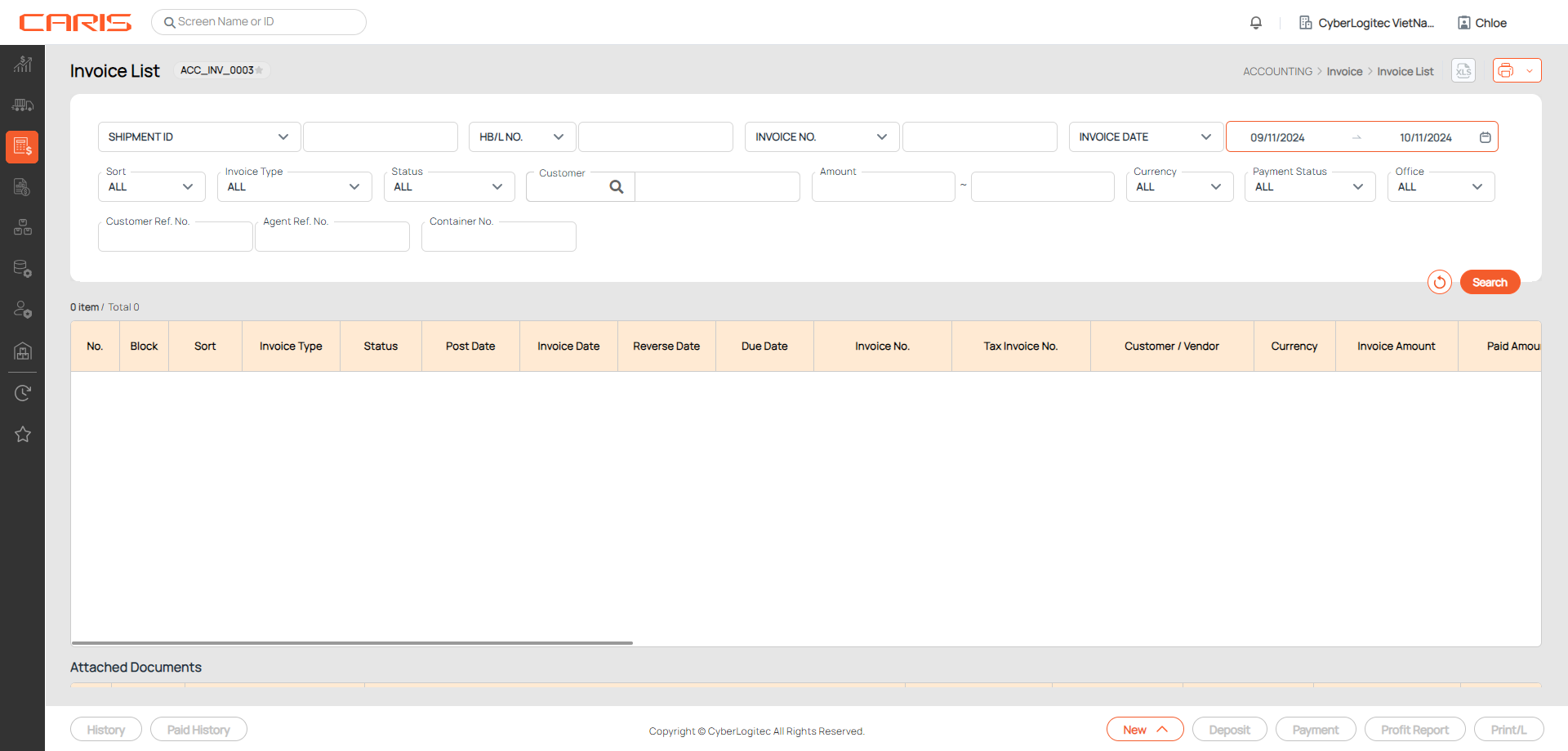
¶ Search invoice
Select or input search conditions and click Search button. A list of invoice will generate below.
- Sort: AR, AP, D/N, C/N
- Invoice Type: Operation or General Admin
- Status: Unposted, Posted, Reversed if Use Proforma Invoice Process
- Payment status: Unpaid, Partial Paid, Full Paid, OverPaid, OverDue

¶ Create invoice
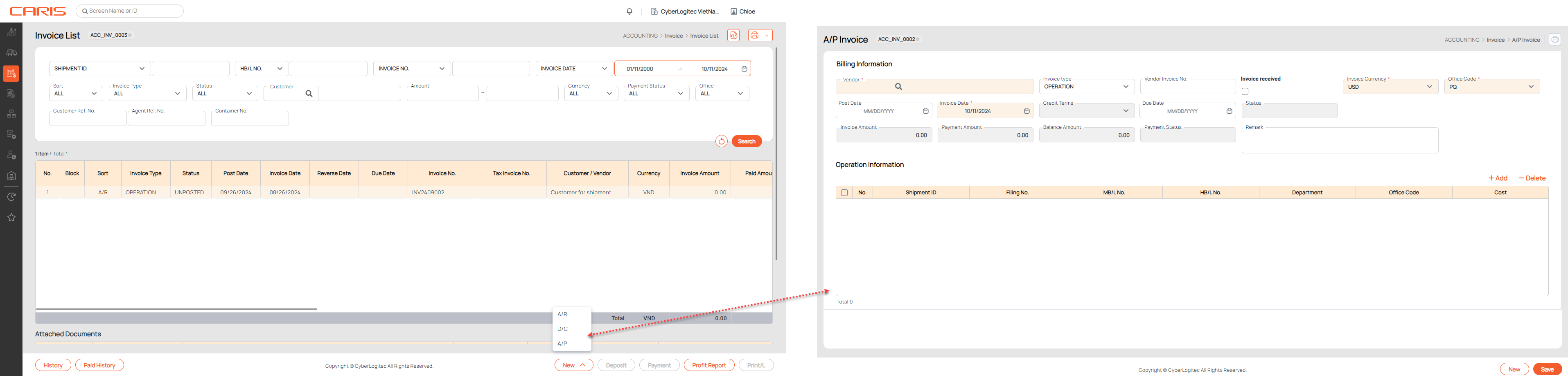
Click the New button to create a new AR, AP invoice or D/C.
¶ Deposit invoice
- Select AR, C/N, click on the Deposit button.

2. You will be led to the Deposit Entry screen, where you can create deposits for posted A/R invoices and D/Ns with balance amounts of >0.

¶ Payment invoice
1. Select AP, D/N record & click on the Payment button.

2. You will be led to the Payment Entry screen, where you can make payment for posted A/P invoices and C/Ns with balance amounts of >0.

¶ Check Profit report
Select an invoice and click on the Profit Report button to check profit for MBS.

¶ Check history
Select an invoice, and click on the History button to check past updates on the record.
¶ Check Paid history
Select an invoice, and click on the Paid History to check past paid events of the record.